
CaSE, iT MAttErs.
We live in a civilized society with rules. Respecting case is one of them. The utility of letter case is rarely discussed… and we’re not going to get into any of that today.
We are going to dig into how case regularly breaks puzzle inputs in stupid, avoidable ways.
What Escape Room Designers Must Know About Case
Everyone knows that there are 26 letters in the English alphabet, right?
Well to a computer, there are not 26 letters in the English alphabet, there are 52. Unless a computer is told otherwise, it will treat upper case letters and lower case letters as different entities.
When, as players, we find ourselves inputting a puzzle solution into a digital interface, case frequently presents a silly, easily avoidable, joy-killing barrier.
Solutions & Case Sensitivity
My team just solved a puzzle. The solution is “sherlock.” We are confident that we have to input this solution into a computer… so we type it in… and it’s rejected.
In most instances where a password is typed into a digital interface, there are 3 different options for case:
- sherlock
- Sherlock
- SHERLOCK
As a player I can confidently tell you that I don’t give a $#!% which one works. I do care, however, when my right answer fails because I used a lower case “s” when I needed an upper case “S” or vice versa.
This problem is magnified when a team doesn’t stop to think about the implications of case. They might just walk away from a correct answer and dive down some useless rabbit hole. It happens. I’ve seen it.
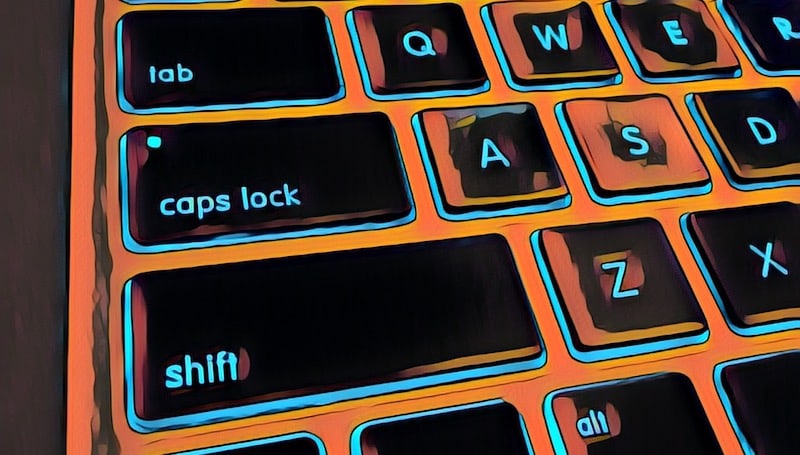
Keyboards, Shift, & Caps Lock
These problems are often exacerbated by the shift and caps lock keys on a keyboard. Often, when a password is inputted into a computer, the display looks like this:
******** or ●●●●●●●●
UNDER THESE CIRCUMSTANCES I MIGHT NOT NOTICE THAT MY TEAMMATE POKED AT THE CAPS LOCK BUTTON EARLIER… AND NOW I AM SHOUTING MY SOLUTION AT THE COMPUTER LIKE A CRAZY UNCLE FORWARDING A 10-YEAR-OLD POLITICAL CHAIN EMAIL!!!!!!!!
Solutions
There are a few easy solutions to these problems. The right combination of solutions will change based on the game’s individual circumstances.
Program Different Cases
If you’ve custom built the software that accepts your password, you can likely code it to accept multiple responses.
Allowing your software to accept “sherlock” OR “Sherlock” OR “SHERLOCK” nullifies the problem.
Normalize or Ignore Case
Again, if we’re talking custom software, you can usually drop a line of code into the program that either normalizes case or ignores it entirely.
Normalization is probably my favorite solution because when you start typing, it always types in the case that the system wants. I type in “Sherlock” but what displays is “SHERLOCK” and there is zero room for confusion on my part or the computer’s.
Ignoring case is useful as well because I can type “ShErLoCk” or any other permutation of case and the computer accepts it. It’s not limited to the pre-programmed solutions.
Programmatically Disable Shift & Caps Lock
Depending upon the computer you have and software you’re running, you may be able to programmatically disable the shift and caps lock keys so that they do not function.
This could be useful under circumstances where you have full control over the computer, but not the software that needs to accept the password.
Physically Disable Shift & Caps Lock
Finally, if all else fails, you can go nuclear and crack open the keyboard and break the shift and caps lock keys so that they cannot function on a mechanical level.
The Bottom Line
Whichever route you go, the net benefit is that you’ll eliminate a point of needless confusion and friction for your players.
This will also eliminate an entire category of hints and completely streamline a segment of your game that really isn’t supposed to be a challenge in the first place.
Everybody wins.


![PuzzleConnect – Frozen In Time: The Race To Save Christmas! [Review]](https://roomescapeartist.com/wp-content/uploads/2025/12/puzzle-connect-escape-rooms-frozen-in-time-the-race-to-save-christmas-3.jpg)
![Masquerade NYC [Review]](https://roomescapeartist.com/wp-content/uploads/2025/12/Masquerade-1.jpg)
![Field Notes – Wednesday Murder Club [Review]](https://roomescapeartist.com/wp-content/uploads/2025/11/field-notes-wednesday-murder-club-1.jpg)
Leave a Reply