
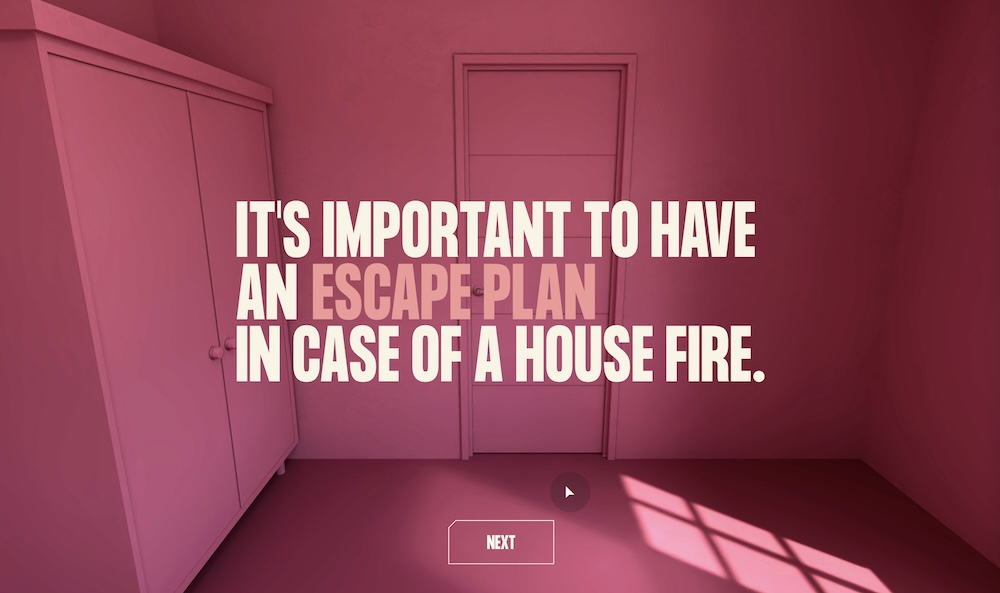
Escape Plan is a free point-and-click brower game created by FEMA & Meta.
Format
Style of Play:
- Point-and-click
- Note that our reviewers could not get this to work in VR.
Who is it For?
- Any experience level
Required Equipment: It appears that a computer with an internet connection is required. Our attempts to play on mobile and VR did not work.
Recommended Team Size: 1
Play Time: 2-5 minutes
Price: Free
Booking: play at your leisure
Description
This is a point-and-click game played in a browser.
You are dropped into a burning building where you need to click around to find the fastest route of escape, without being distracted by other things within your environment.
Theresa Piazza’s Reaction
Escape Plan was intended to be a short escape game aimed at teaching players how to escape from a burning building, but it appears the actual fire was going on within the game’s technical execution. After going to a URL titled escapeplanVR.com, one has a reasonable expectation that the game could be played in virtual reality, or at least on a mobile device. This was not my experience. I could not run it on the virtual reality headset I own, and because of a potential overlapping button on screen, I was unable to move past the first step of the tutorial on my iPhone. However, I was able to successfully play the game on my iPad.
When it works, Escape Plan achieves its goals nicely. The game is quick, doesn’t overstay its welcome, and teaches key learnings about fire safety. I really wish that my experience wasn’t marred by the technical issues that led me to that point.
Tammy McLeod’s Reaction
I saw that Meta developed this VR experience, so naturally I expected it to work on my Meta Quest headset. The game appears to be a web only interface, and since it was supposed to be available on Web XR, I loaded it in the Quest browser, but it constantly hung and crashed. I tried using my Android phone, but before I could start the game I needed to click “Agree and Continue” on the important safety notice. However, the button was non-functional.
I ended up playing in Chrome on my laptop. It started off fine. I was in a burning apartment and was given 5 minutes to figure out how to escape. I could look around and click on hotspots to take actions. After each action, the game explained whether it was a good or bad thing to do, had I been in an actual burning building. A few seconds into the game, the interface got stuck in a strange state, where anything I tried to do, just jumped me back to the same place in the previous room with no available game actions. I struggled with this as the 5-minute timer counted down. Finally, pausing and resuming managed to reset something so I was able to progress through the rest of the experience. I rushed through clicking on hotspots to quickly escape in the remaining 40 seconds.
I attempted to do a second play through to experience the content more leisurely and this time the game did not even get through the tutorial before getting stuck.
The concept of the game is admirable, and has the potential to be quite informative. However, after I experienced technical issues on 3 different platforms, I simply have to believe that this game could benefit from additional testing and bug-fixes before being released widely.
David Spira’s Reaction
I ran Escape Plan on a web browser without any drama.
Fire safety often feels strangely counter-intuitive. I like what FEMA and Meta were striving for in Escape Plan. The escape room medium can certainly carry educational and narrative weight, so it excites me seeing it used to teach fire safety. From a practical standpoint Escape Plan quickly conveys some good basic information that can save lives… and when I say quick, I mean a couple of minutes quick.
On an execution level, it felt like some of the ambition was cut from Escape Plan. The existence of a crouch control felt like the game designers might have wanted to do a bit more with the experience. While I think that the ideas behind Escape Plan could be pushed further, there is a part of me that wonders if the simplest version that gives just the basics might be the best version.
Reflecting on the trouble that Theresa and Tammy had running Escape Plan on their VR headsets, I’m glad that I didn’t try, because I genuinely believe that it would have taken me more time to get setup with my headset than it would have taken to play the game.
Try Escape Plan out on a web browser. It’s quick, easy, and it might save your life.

![Brain Games – Flynn’s Arcade [Review]](https://roomescapeartist.com/wp-content/uploads/2026/01/brain-games-flynns-arcade-1.jpg)

![Mothman Themed House AirBnB Escape Room [Review]](https://roomescapeartist.com/wp-content/uploads/2026/02/airbnb-mothman-house-2.jpg)
![The Escape Game – Legend of the Yeti [Review]](https://roomescapeartist.com/wp-content/uploads/2026/01/legend-of-the-yeti-legend-of-the-yeti-3.jpg)
Leave a Reply